
BuildCalc
42nd ParallelBusiness
4.776.00 Reviews
- Version
- 2.15.126
- Installs
- 10.00K
- Age Rating
- Everyone
Screenshots
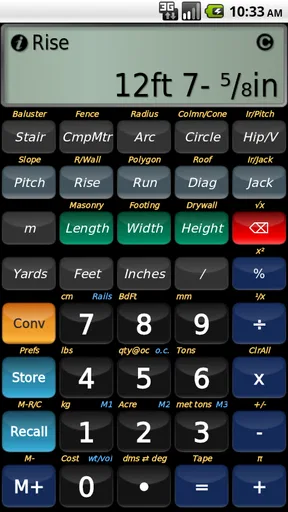
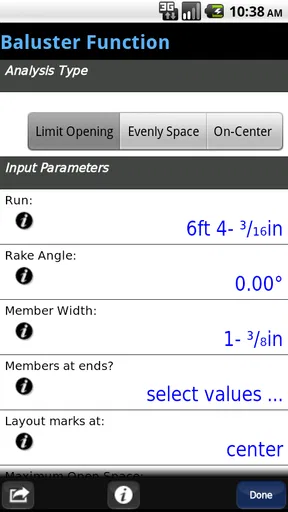
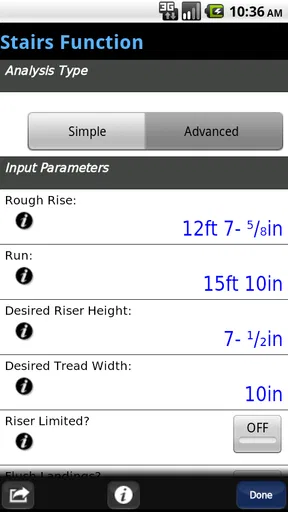
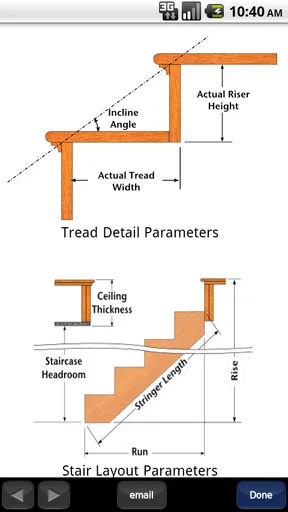
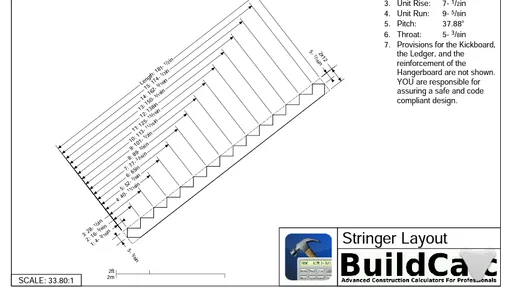
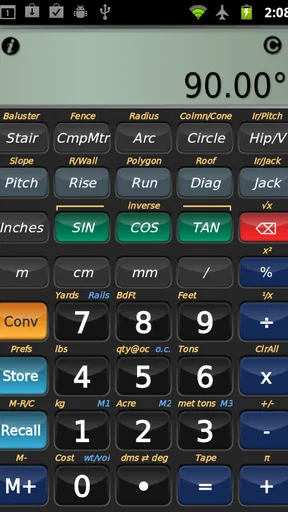
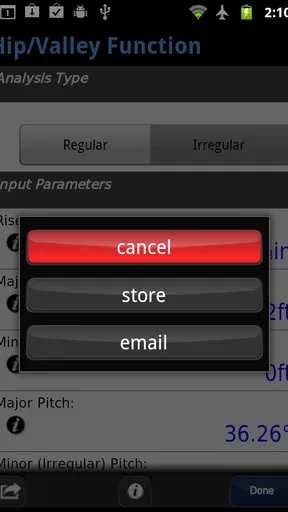
Our Review of BuildCalc
 Analysis by Appyee
Construction calculations are easy to underestimate. A quick area estimate can turn into a chain of conversions, fractions, material quantities, and cost checks, and a small mistake can follow you all the way to the job site. After spending time with BuildCalc, I found that its main appeal is not simply replacing a pocket calculator. It is the way it keeps construction-style calculations close to the way builders, remodelers, estimators, and serious DIY users actually think.
This is a paid business app from 42nd Parallel, priced at $24.99, and it is aimed at people who regularly work with dimensions rather than someone who only needs an occasional percentage calculation. It has an Everyone age rating, works on devices running OS 8.0 or later, and its current version is 2.15.126. Those details matter because this is a mature tool rather than a brand-new experiment: it has been available since Jul 27, 2011, and the current release reflects a product that has had time to develop a specialized workflow.
The store describes it as both easy and advanced, which sounds like a difficult balance to achieve. In use, I would phrase it differently: it is approachable once you understand its construction vocabulary, but it rewards users who take a little time to learn how its calculator behaves. That makes it more useful than a basic calculator for the right audience, while also making it less instantly familiar than the calculator already installed on your phone.
How BuildCalc fits into real construction work
The strongest part of the experience is the app’s focus. Instead of treating every calculation as a blank row of digits, it is designed around measurements and quantities that commonly appear in building work. I found that especially valuable when moving between feet, inches, fractions, areas, volumes, and material-related estimates. The point is not merely obtaining a result; it is reducing the mental translation required before entering the next part of a job.
A typical example is a flooring estimate. I might measure several rooms, enter dimensions in the units I actually use on site, calculate each area, and keep the results available while adding them together. With a standard calculator, I would first convert measurements, write intermediate values on paper, and then worry about whether I had mixed decimal inches with fractional inches. A construction calculator is useful precisely because it keeps those steps in one working context.
That workflow also helps with quick checks. If a quoted quantity seems high, I can recalculate the room or section without rebuilding an entire spreadsheet. If a measurement changes, I can adjust the relevant calculation rather than starting from scratch. For a contractor checking figures between appointments or a homeowner comparing a material estimate against a room plan, that speed is more practical than a long list of general-purpose calculator functions.
It is important to understand what this app is not. I would not treat it as a full project-management system, estimating platform, drawing package, or replacement for professional structural calculations. Its value is concentrated in the calculation stage. It helps me work through dimensions and quantities, but it does not turn a rough measurement into a complete construction plan or verify whether a design is safe.
The current experience is built for repeat use
For occasional users, the price can make the decision harder. A free calculator, notes app, or spreadsheet may be enough if I only calculate one wall area every few months. BuildCalc makes more sense when calculations are part of my normal routine and the time saved on repeated conversions is worth paying for. The app is therefore best judged as a work tool, not as a novelty calculator.
Its audience includes tradespeople, estimators, site supervisors, architects who need quick field arithmetic, and capable DIY users handling renovation measurements. I can also see value for students learning construction math because the app encourages thinking in the units used in practice. Still, a student who only needs textbook equations may prefer a conventional scientific calculator, while a large team coordinating quotes and purchase orders will likely need a broader business system.
The rating gives the app a strong public reputation, with a 4.7 average from over 200 ratings and more than 70 written reviews. I would read that as evidence that the focused approach works well for many users, not as a guarantee that every interface choice will suit everyone. Specialized tools often receive enthusiastic feedback from their target audience while feeling unnecessary to people outside it, and that distinction applies here.
Why unit handling matters more than it first appears
One of the less obvious benefits is confidence during mixed-unit work. Construction measurements are rarely as tidy as “three point five meters.” Depending on the task, I may be dealing with feet, inches, halves, quarters, or smaller fractions, then comparing those figures with a total area or volume. The danger is not difficult mathematics; it is entering a value in the wrong form or carrying a conversion incorrectly.
My practical tip is to decide on the measurement style before starting a group of calculations. I would keep a room, wall, or material batch consistent rather than switching formats halfway through. Even with a specialized calculator, disciplined input matters. BuildCalc can reduce conversion friction, but it cannot recognize a bad measurement or know whether I measured to the finished surface, framing, or another reference point.
This is also where the app can be more useful than a spreadsheet for quick field work. A spreadsheet is excellent when I need a permanent estimate with named columns, formulas, notes, and sharing. On a phone, however, building that structure while standing in a room can be slower than entering measurements directly into a purpose-built calculator. I see BuildCalc as the faster front-end for immediate calculations, with a spreadsheet still better for formal documentation.
A realistic renovation scenario
Imagine I am pricing a small renovation with several wall sections, a floor area, and trim. I measure each section, calculate the relevant areas, and keep a running total while checking the supplier’s packaging or quote. If one wall contains a door opening, I can calculate the opening separately and subtract it rather than relying on a rough percentage. When the homeowner changes a dimension, I only need to revisit the affected calculation.
The useful insight here is that the app is not just about getting a single answer. It supports a chain of small decisions: whether to include an opening, whether a quantity should be rounded, whether two surfaces should be combined, and whether the result looks plausible. I would still add a sensible waste allowance separately and record the reasoning in my project notes. A calculator can produce a precise number that is still the wrong purchasing quantity if the real-world conditions are ignored.
For that reason, I recommend treating every result as an input to judgment rather than an automatic order instruction. Uneven walls, cuts, breakage, packaging sizes, and site changes all affect what should actually be bought. BuildCalc is strongest when it removes arithmetic distractions so I can spend more attention on those practical decisions.
What the mature version changes for users
The current version, 2.15.126, is significant mainly because it shows that the app has continued beyond its original release. I would not confuse a high version number with a promise that every modern expectation has been added. The more useful conclusion is that BuildCalc has evolved as a dedicated construction calculator rather than being abandoned after launch.
For someone already using an older release, the practical effect of an updated version is likely to be continuity and refinement rather than a completely different product. Existing users who already understand the workflow should find the transition less disruptive than moving to a new calculator with a different philosophy. That matters on a job: a tool that feels familiar can be more valuable than one with a longer feature list but a slower input process.
New users should approach the current release with realistic expectations. The app’s age and focused identity suggest a tool shaped around established construction-calculation needs, not a social or cloud-centered workspace. I would choose it when dependable calculation habits matter more than collaboration features. If my work requires several people to edit a live estimate, attach photos, track purchase orders, and maintain an audit trail, I would look beyond this category.
Another point worth considering is device compatibility. The minimum requirement of OS 8.0 makes the app accessible on older supported devices, which can be useful if I keep a dedicated phone or tablet for workshop and site tasks. At the same time, I would check the actual condition of that device before relying on it for important work. A calculator may be lightweight, but a cracked screen, unreliable battery, or difficult touch input can create more risk than the calculation itself.
Where it beats ordinary alternatives
A standard phone calculator wins on convenience because it is already installed and familiar. It is perfectly adequate for multiplying two decimal measurements or checking a percentage. BuildCalc wins when the same user repeatedly handles construction dimensions and wants the calculator to match that environment instead of forcing every measurement into generic decimal arithmetic.
A notes app is useful for recording measurements, but it does not provide the same calculation discipline. I often end up with a page full of numbers whose units are unclear. BuildCalc is a better active tool while measuring; notes remain better for labeling locations, recording conditions, or preserving a written explanation.
A spreadsheet is the strongest alternative for organized estimates. It offers transparent formulas, reusable templates, and easier sharing. Its weakness is speed during a walk-through. I would use BuildCalc for rapid field calculations and a spreadsheet for the final estimate when the job needs a document someone else can inspect. That combination is more sensible than expecting either tool to do everything.
Dedicated trade-estimating software may be preferable for a business that needs customer records, labor rates, inventory, tax handling, and quote generation. BuildCalc is narrower, and that narrowness is both its advantage and its limitation. It does not bury a quick measurement under a full administrative workflow, but it also cannot replace one.
Small habits that make the app more reliable
My first habit would be to label each calculation outside the calculator as I work. “Kitchen floor” is safer than remembering that a result belongs to the second entry in a sequence. The second is to verify one result with a rough mental estimate. If a wall that looks roughly ten feet by eight feet produces an implausibly large area, I would stop and inspect the units before trusting the number.
My third habit would be to separate measurement from allowance. I would calculate the measured quantity first, then add waste, rounding, or contingency as a clearly separate step. Combining those ideas too early makes it difficult to explain the final figure to a client or to identify why a purchase estimate changed.
A fourth useful workflow is to use the app for alternatives rather than only one final answer. If I am comparing two layouts, two tile sizes, or two material approaches, I can calculate each option separately and compare the totals. This is more informative than guessing which option “looks cheaper,” especially when cutting and coverage are involved.
These habits are not glamorous features, but they are where a construction calculator earns its keep. The app can make arithmetic faster; the user still needs a method for naming, checking, and applying the results.
Where the friction remains
The biggest limitation is the learning curve created by specialization. Someone accustomed to a simple calculator may initially wonder which input style to use, how to express a fractional measurement, or how to interpret a result in the context of a larger estimate. I would not hand it to a first-time DIY user and assume the interface explains every construction concept automatically.
There is also a mental shift from “calculator as a single equation” to “calculator as a workbench.” That is powerful once understood, but it may feel slower for a one-off calculation. If I only need to divide a bill or calculate a discount, opening a general calculator is easier. Paying for BuildCalc only makes sense if its specialized workflow appears often enough to justify the expense.
Another trade-off is precision versus false confidence. Construction figures can display neatly even when the original measurement was approximate. A result with several decimal places does not mean the wall was measured to that precision. I would round according to the material and task, not according to whatever level of detail the screen happens to show.
The app also should not be used as a substitute for professional advice on load-bearing changes, structural sizing, electrical work, plumbing requirements, or local compliance. I can use it to perform arithmetic around those jobs, but the calculation itself does not validate the design. That boundary is especially important for enthusiastic DIY users who may mistake a polished result for approval.
Who should pay for it?
I think the $24.99 price is easiest to defend for a working professional who performs measurements several times a week. A single avoided re-entry, conversion mistake, or unnecessary return to the site can make a focused tool worthwhile. It is also reasonable for a serious renovator managing a large project, provided the person is comfortable learning a specialized interface.
I would skip it if I rarely calculate construction quantities, already have a trusted spreadsheet template, or need a complete quoting and project-management system. I would also hesitate if my main requirement is sharing calculations with a team. In those cases, the ordinary alternatives may be less elegant but more suitable to the actual workflow.
The audience should also consider the platform requirement before purchasing. The app is listed for OS 8.0 or later, and the Everyone rating makes it broadly appropriate from an age-classification perspective. That does not tell me whether the app will feel equally comfortable on every screen size, so I would prefer a device with enough display space for measurements and results, especially when working quickly with gloves, dust, or poor lighting.
What I would watch as the product continues
Because the app has been evolving since 2011, I would watch for improvements that preserve its fast construction workflow rather than adding complexity for its own sake. Better ways to review a sequence of calculations, clarify units, and move results into a formal estimate would be valuable without turning the product into a full business suite.
I would also pay attention to how well the current release serves both experienced tradespeople and newcomers. Advanced users need speed and control; beginners need clear feedback when they enter measurements in an unexpected form. The best future direction would respect both groups without making the interface feel like a tutorial every time an expert opens it.
For existing users, the main question is whether updates continue to protect the habits that made the app useful in the first place. A construction calculator should not require relearning basic workflows after every change. For new users, the question is simpler: does the current version make specialized calculation easier enough to justify buying a dedicated tool instead of adapting a free alternative?
My answer is yes for the right kind of user. BuildCalc is a focused work companion, not a complete construction business platform. I would recommend it to someone who regularly measures, converts, totals, and checks quantities on a phone, especially when ordinary calculator apps keep getting in the way. I would not recommend it merely because construction sounds complicated; the price and specialized workflow need to match a real recurring need.
After using it, my final impression is of a mature, purpose-built app that earns its place through practical focus. Its 10K-plus installs show that it serves a defined audience rather than trying to be everything to everyone. If your work involves dimensions every day, that focus is exactly the reason to consider it. If your needs are occasional, collaborative, or administrative, a spreadsheet or broader estimating tool will probably be the better choice.
Verdict
Strengths of BuildCalc
- Covers many construction and renovation calculations in one app.
- Helps reduce manual math errors when estimating materials.
- Useful for contractors, builders, and experienced DIY users.
- Results are generally quick to generate after entering measurements.
- Can make on-site planning more convenient without extra tools.
Limitations of BuildCalc
- Some calculations may require construction knowledge to interpret correctly.
- Incorrect measurements can still produce misleading material estimates.
- The interface may feel technical or dated for first-time users.
- Specialized projects may need calculations not included in the app.
- Material prices and local building requirements may not be reflected.
Similar Picks in This Category
View All
LinkedIn: Community & Network
LinkedIn3.8

Zoom Workplace
zoom.com4.1

Microsoft Teams
Microsoft Corporation4.6

Meta Business Suite
Meta Platforms, Inc.4.6

Webex Meetings
Cisco Systems, Inc.4.5

TeamViewer Remote Control
TeamViewer4.4
Frequently Asked Questions
What is BuildCalc, and who is it designed for?
BuildCalc is a construction and building calculator app intended to help users perform common job-site calculations more quickly. It can be useful for contractors, builders, tradespeople, estimators, DIY renovators, and students who need practical tools for measurements, quantities, materials, and conversions. Before downloading, check the app listing to confirm that its available calculators match your specific trade and project requirements.
What types of calculations can I perform with BuildCalc?
BuildCalc is designed to bring several construction-related calculations together in one mobile application, which may help with estimating dimensions, areas, volumes, quantities, and material requirements. The exact tools can vary by version and platform, so users should review the current feature list before installing. It is best used for planning and estimating, while final measurements should always be verified independently.
Is BuildCalc suitable for professional construction work?
BuildCalc can be a convenient reference and estimating tool for professionals, particularly when a quick calculation is needed away from a computer. However, it should not replace approved plans, engineering documentation, building codes, manufacturer instructions, or professional judgment. Results depend on the measurements and settings entered, so experienced users should verify important calculations before ordering materials or beginning structural, electrical, or safety-critical work.
Does BuildCalc work offline, and what device permissions does it require?
Many calculator functions in apps such as BuildCalc can work without a continuous internet connection, which is helpful on construction sites with limited reception. Nevertheless, certain features, updates, advertising, synchronization, or support services may require connectivity. Permission requirements can also change between releases. Review the installation screen and privacy information to see whether the app requests access to storage, network functions, or other device features.
Is BuildCalc free to download, and are there in-app purchases?
The download price and payment model for BuildCalc may differ between Android and iOS, and the available version can change over time. Some editions may be free, ad-supported, or offer additional tools through in-app purchases or a premium upgrade. Before installing, check the official store page for the current price, subscription details, advertising information, and refund conditions so there are no surprises after downloading.
